
📝 Creating an App Registration in Microsoft Entra
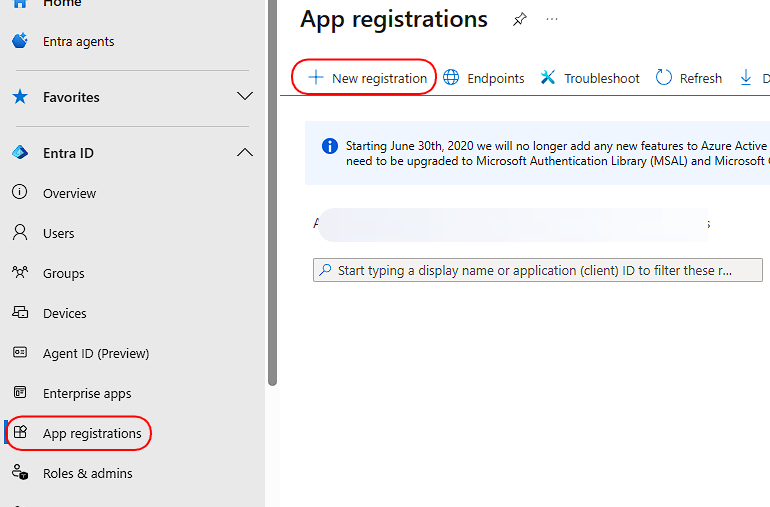
📍 Step 1: Navigate to App Registrations
Go to the Microsoft Entra Admin Center.
In the left menu, navigate to:
Identity → Applications → App registrations
🆕 Step 2: Create a New Registration
Click + New registration at the top of the page.
Name: Enter a clear, descriptive name for your application (e.g., "Contoso Custom OIDC Client").
Supported account types: Select the option for:
Accounts in this organizational directory only (Single tenant)
This ensures only users from your own Entra ID tenant can use this app.Redirect URI:
Type: Select Web from the dropdown.
URL: Paste the Authorization Endpoint URL you copied from your OIDC configuration in the AuthN portal.
Click Register to create the application.