
Configuring the Integration
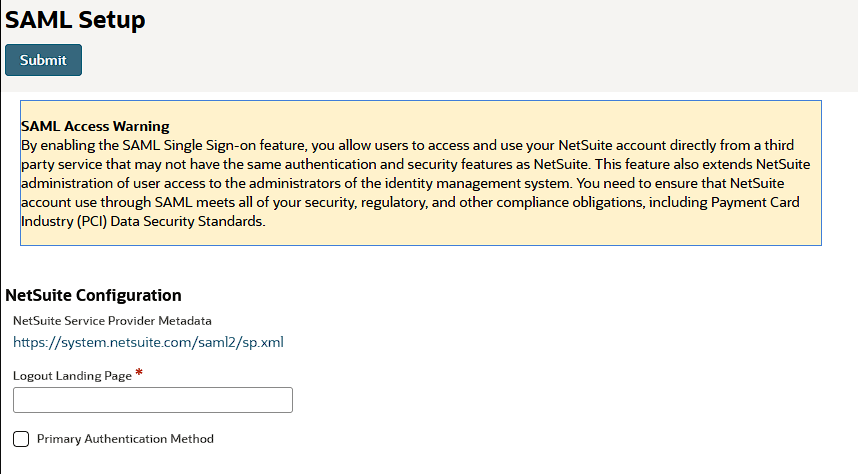
On NetSuite go to Setup > Integration > SAML Single Sign-on.
Click the link in the NetSuite Service Provider Metadata field, and download the SP metadata file to your computer.
Log into the AuthN Integrations Portal by clicking here https://authn.getidee.de/#/login
Select Add Integrations and select SAML App.
Download the Metadata by copying and pasting the link in a different tab. Alternatively click here to download the metadata file AIPmetadata.xml
Upload the previously downloaded SP Metadata file and click save.
On NetSuite, Upload the AIP Metadata file under Setup Identity Provider and click Submit
Note: Tick the box titled Primary Authentication Method to apply this integration for all users.