
📝 Assigning a Contract to an Integration
Locate Contract Settings
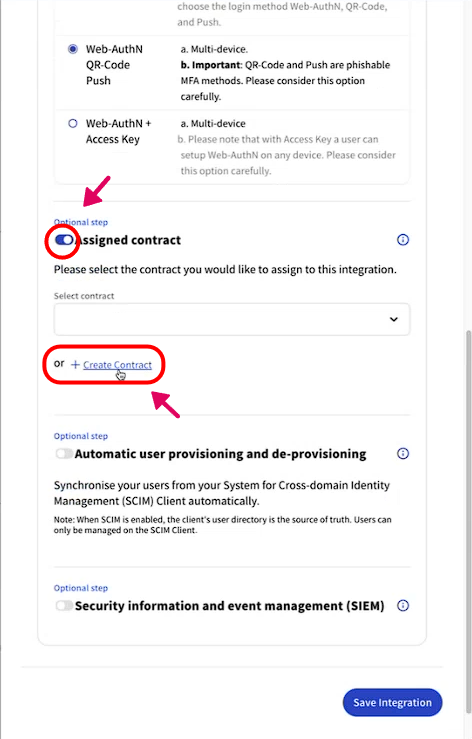
Scroll down to find the "Assign Contract" section
Toggle the switch to enable contract assignment
Create New Contract
Click "Create a Contract"
Under "Select Edition" choose the appropriate license type from the dropdown menu
Configure Contract Terms
Use "Add Value" to input all required contract parameters
Add all necessary values and terms
Finalize & Save
Review all entered information
Scroll down and click "Save Integration" to complete the process