
Use a web account
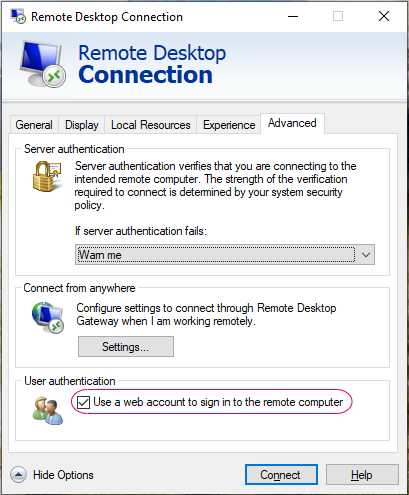
Open a new Remote Desktop Connection and click on the Advance tab and select the Use a web account to sign in to the remote computer.
Go back to the General tab and enter the Fully Qualified Domain Name of the device you want to connect to and click connect.
Note: The User name section must be empty