Add Dynamic Group to SCIM
Once the Dynamic Group is ready, go back to the SCIM app that you configured.
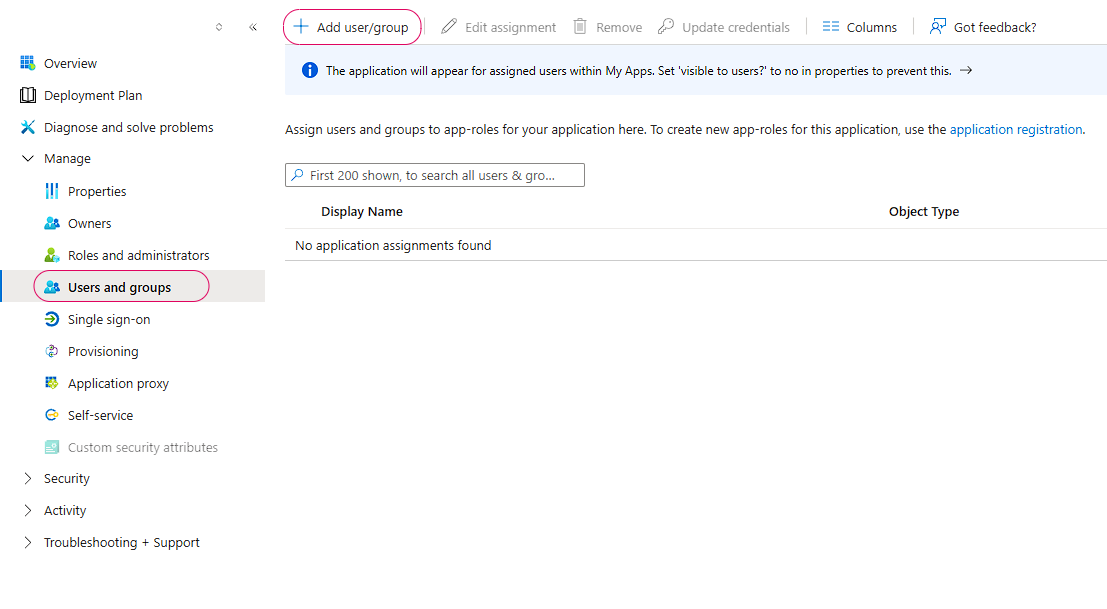
Go to Manage > Users and Groups > Add user/group
Add the Dynamic Group that was created in the previous step

Once the Dynamic Group is ready, go back to the SCIM app that you configured.
Go to Manage > Users and Groups > Add user/group
Add the Dynamic Group that was created in the previous step
Once the Dynamic Group is ready, go back to the SCIM app that you configured.
Go to Manage > Users and Groups > Add user/group
Add the Dynamic Group that was created in the previous step