
Common Troubleshooting Tips
Question: I still get the option to use my password to log in after the domain is federated?
Try to use an Incognito window to log into https://www.office.com/
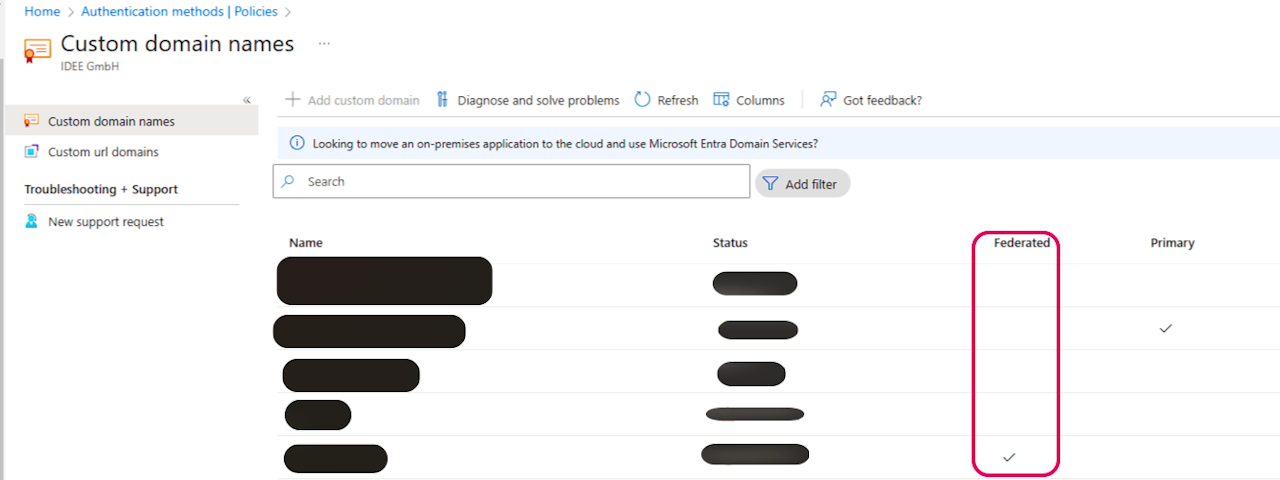
Check if the domain has been federated by going to Entra > Identity > Settings > Domain Names
If you are not redirected, on the log-in page, select Sign-in Options and select Sign-in Organization and enter your domain name, and attempt to log in again.
Check your firewall settings to see if the redirect is being blocked.
Note: It takes up to 5 minutes for the integration to be successful
Question: I see the prompt to "Insert your security key into the USB port" instead of using Windows Hello.
Cancel the pop-up and you should be redirected to set up your pc.
If the pop-up persists, go to your browser settings, reset the browser settings, and try again.