
✏️ Editing an Existing Metadata File
📁 Step 1: Open Your Metadata
Open the current metadata file in a text editor (e.g., VS Code, Notepad++) or an XML editor.
🔍 Step 2: Locate the Old Certificate
Look for the X509Certificate section:
<X509Certificate> MIICajCCAdOgAwIBAgIQU... (old certificate) </X509Certificate>🧩 Step 3: Copy the KeyDescriptor Block
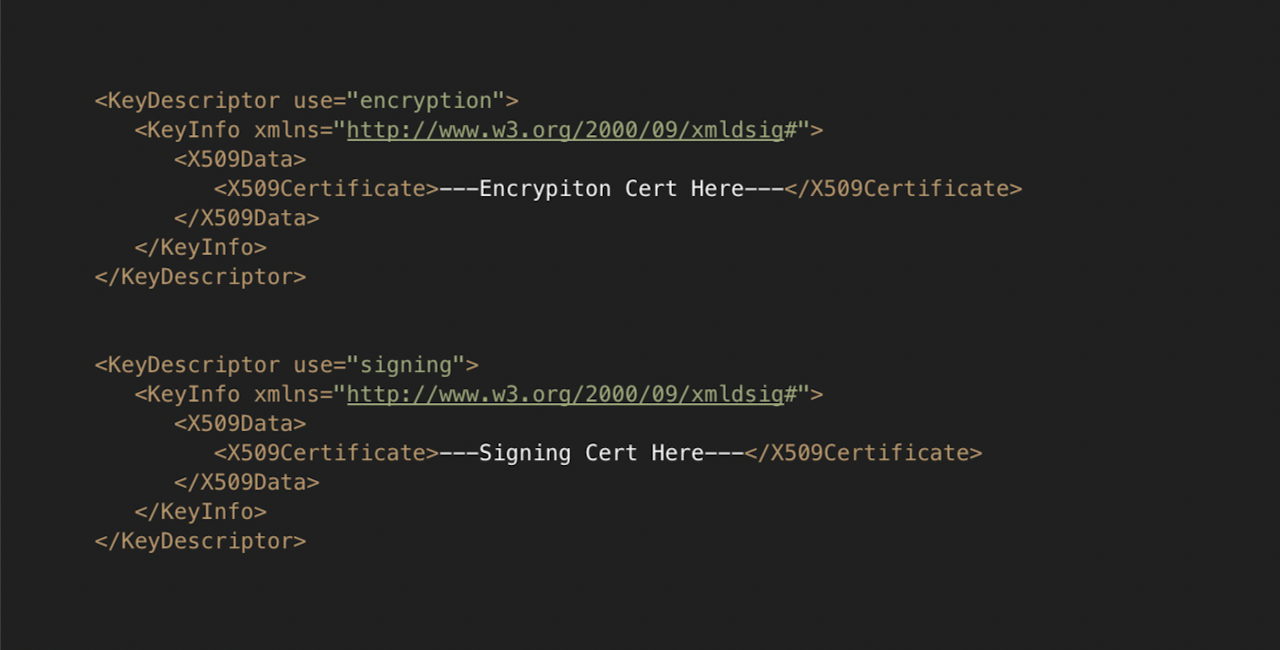
Find the full <KeyDescriptor use="signing"> and <KeyDescriptor use="encryption"> block (shown below). Copy it entirely as you’ll reuse this structure.
<KeyDescriptor use="signing">
   <KeyInfo xmlns="http://www.w3.org/2000/09/xmldsig#">
      <X509Data>
         <X509Certificate>....CERT....</X509Certificate>
      </X509Data>
   </KeyInfo>
</KeyDescriptor>🔄 Step 4: Insert the New Certificate
Paste the copied
KeyDescriptorblock right below the old one.Replace the old certificate value inside the new block with your new base64-encoded certificate.
Leave the old block intact during the transition