
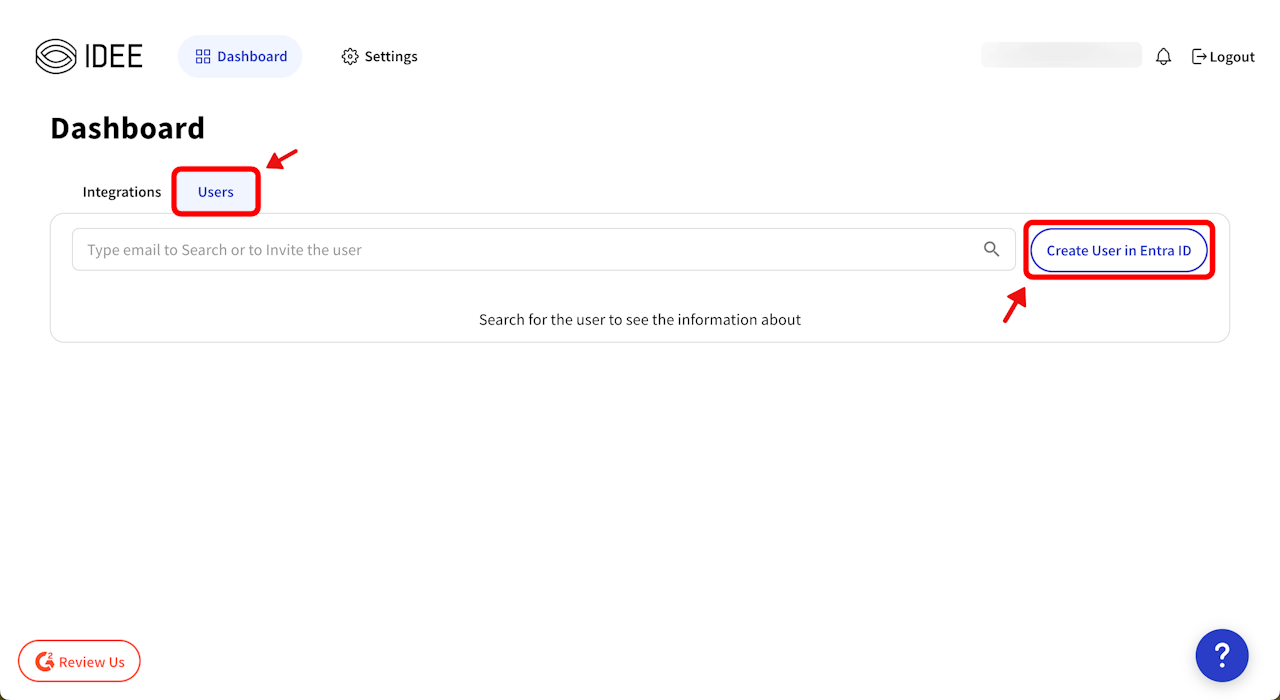
👥 Creating a User (Entra ID Only Setup)
Go to the AuthN Integration Portal.
Click the Users tab → Select “Create User in Entra ID”.
Authenticate yourself (prove you're the admin!). 🔒
Fill in the new user’s details:
First Name, Last Name, etc. ✏️
Select the domain (e.g.,
@contoso.com). 🌐
Hit Save – and you’re done! 🎉
⚠️ Important Notes
This function is only for Entra ID setups - If you are on a Hybrid or AD only setup, please continue your current process of adding users via AD. If you set up AD Connect, the new users will be synced to Entra ID automatically.