
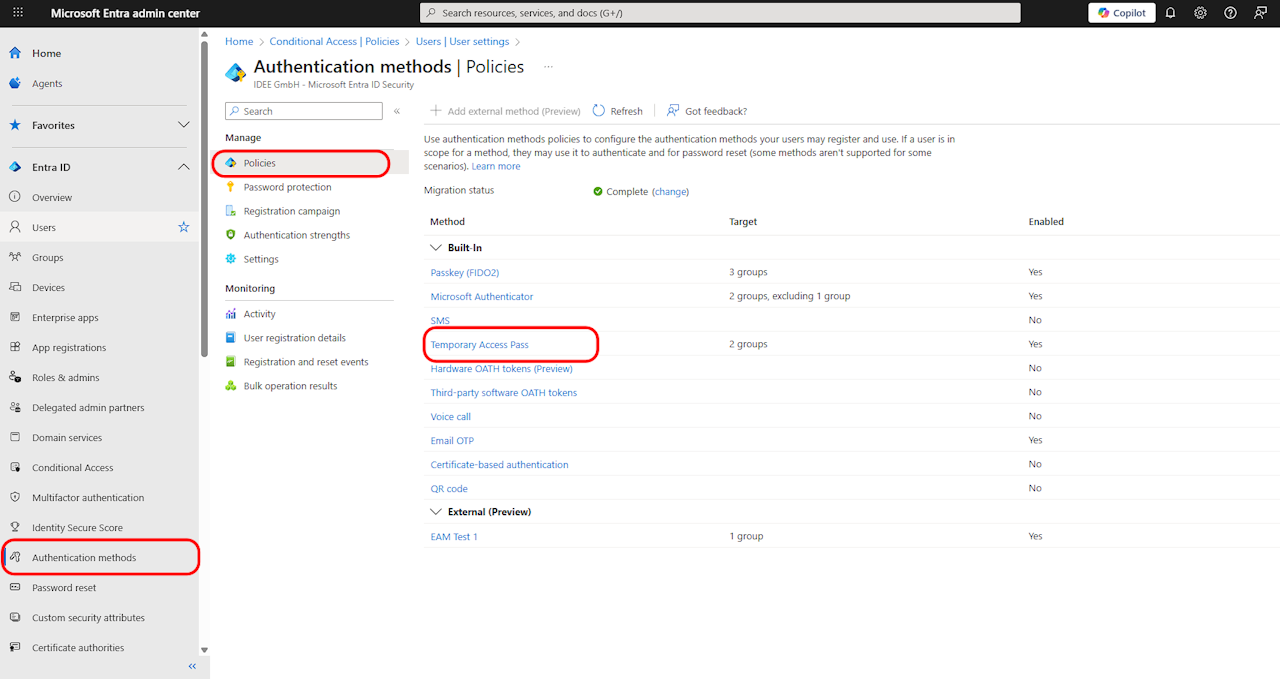
🔑 Generating a Temporary Access Pass (TAP)
📍 Verify User Eligibility
Go to Microsoft Entra Admin Center
Navigate:
Authentication methods → Policies → Temporary Access PassConfirm the user is in an included group under the TAP policy.
⚡ Generate the TAP
Find the User:
Go to Users → Select the target user → Authentication methods.
Add Method:
Click Add authentication method → Select Temporary Access Pass.
Configure & Copy:
Set expiration (default: 8 hours to 30 days).
Click Generate → Copy the TAP.