
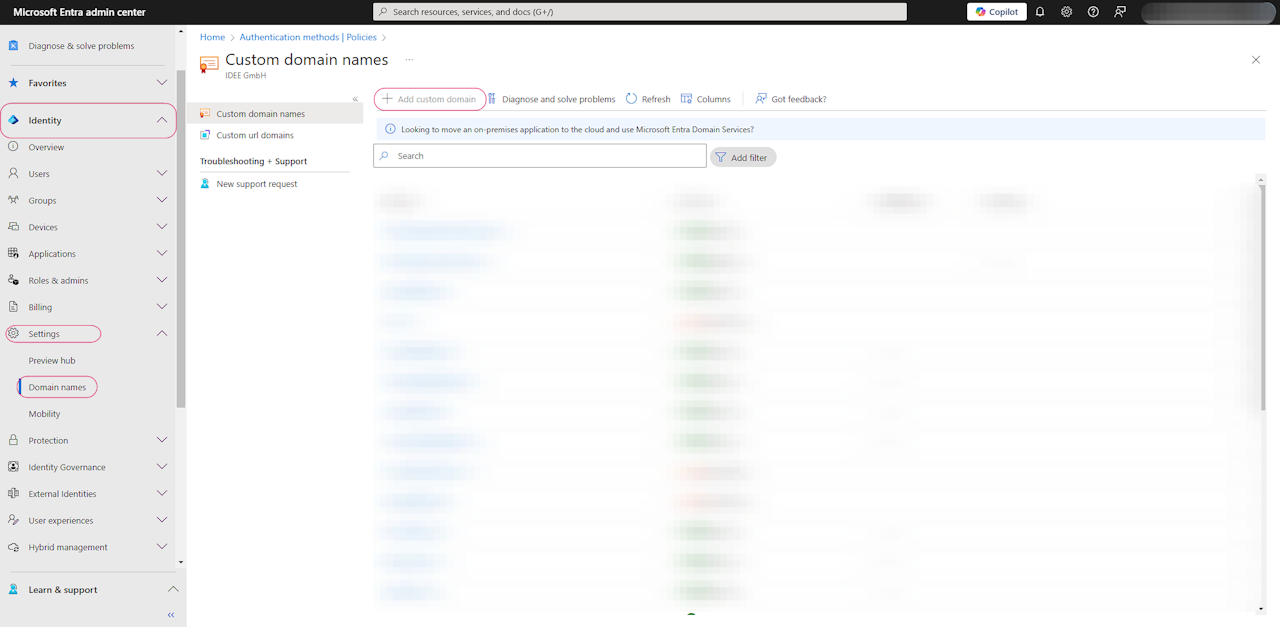
🌐 Creating a Subdomain in Microsoft Entra ID
Access Domain Management
Sign in to the Microsoft Entra Admin Center
Navigate to:
Identity → Domain Names
Add Custom Domain
Click + Add custom domain
Enter your subdomain name (e.g.,
authn.domain.com)Select Add Domain
⚠️Optional: Verify Ownership
Copy the provided TXT record from Entra ID
Add it to your domain's DNS settings (e.g., GoDaddy, Cloudflare)
Return to Entra ID and click Verify