
Step 2
Make the following changes to the template:
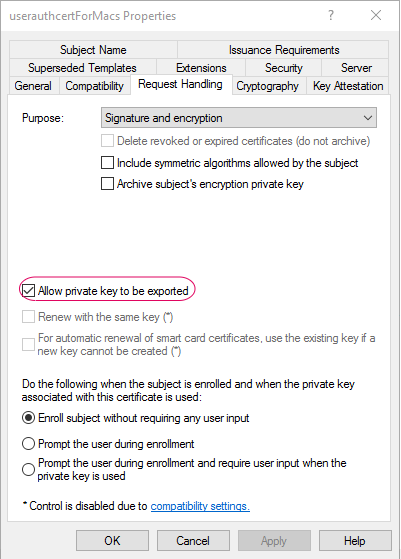
Request Handeling: Uncheck the option Include symmetric algorithms allowed by the subject. Make sure Allow private key to be exported is select.
Subject Name: Select the Supply in request option
Extentions: Select Application Policies and click edit. Make sure only Client Authentication is selected. Delete others.
Security: Uncheck Autoenroll for every Group/User. Select Enroll , Read and Write only for Admin users responsible for creating and deploying the certificates.
Click Apply and Save.