
Alias
To add an alias for users
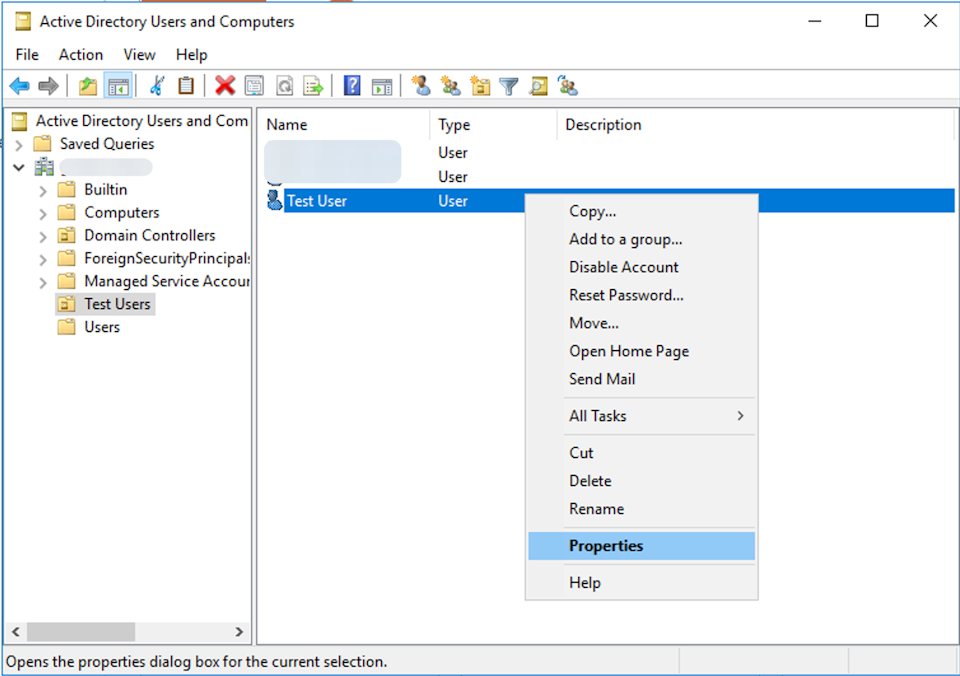
Go to Server Manager > Tools > Active Directory Users and Computers
Right-click on the User whose Alias needs to be added and select Properties
Click on Attribute Editor and navigate to Proxy Addresses, and then click on Edit
Put the Alias as "smtp:test@domain.com," then click on Add and OK.
Note: Based on your setup, it should take up to 15 - 30 minutes for the changes on On-Prem AD to sync to Entra.
Run this command on an elevated PowerShell window to initiate the sync manually:
Start-ADSyncSyncCycle -PolicyType Initial